Published December 26, 2020
What is Move.mil?

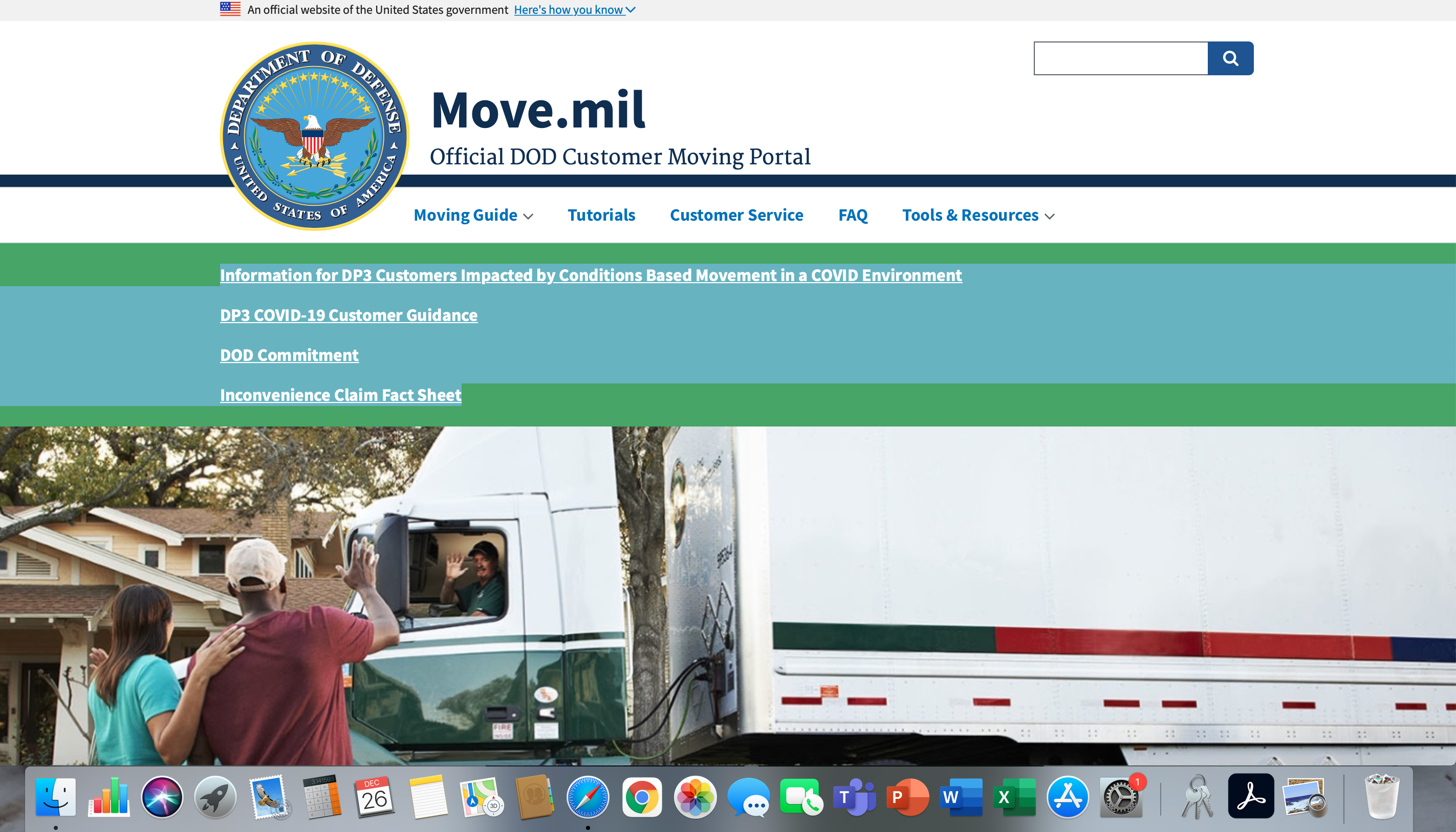
Move.mil is your one stop shop for all things related to your military move. This government site is your Official DOD Moving Portal. From the moving guide to tools and resources, the website is designed to give you current and up-to-date information regarding your move.
What all can I find on https://move.mil?
At the top of the page will be a banner with 5 tabs: Moving Guide, Tutorials, Customer Service, FAQ, Tools and Resources.
Moving Guide: Drop down menu options listed below
1. Personal Property Quick Reference Guide
2. Planning a Move
3. Entitlements/Guidelines
4. What to Expect?
5. Loss & Damage Claims
6. Moving Tips
7. Overseas Moves (OCONUS)
8. TDY Moves
9. Retiring/Separating Members
10. Civilian Employees
11. Service Specific Information
12. Privately Owned Vehicles (POVs)
Tutorials: Get an overview of the online moving process with pro tips from experienced customers and counselors.
Customer Service: When you click this tab, you will find the contact information for these departments listed below.
1. Local Personal Property Office
2. Privately Owned Vehicle (POV) Shipments
3. Technical Help Desk
4. Service Branch Customer Service
5. Customer Support Center
6. Accounting and Finance Office
7. Claims
8. Retiring/Separating Service Member Extension
FAQ: Government moves can be very complicated, so this tab breaks down the process into smaller pieces and answers common questions you may have about your move.
Tools and Resources: Drop down menu items listed below
1. Customer Brochures
2. Helpful Links
3. Privately Owned Vehicles (POV)
4. Weight Estimator
5. Find Nearby Locations
6. Protect Your Move
On the home page, you can find information regarding:
1.Information for DP3 Customers Impacted by Conditions Based Movement in a COVID Environment
2. DP3 COVID-19 Customer Guidance
3. DOD Committment
4. Inconvenience Claim Fact Sheet
As you scroll down, you will have a variety of links to choose from for a step-by-step including:
1. Plan Your Move
2. Schedule Your Move
3. Get Ready for Moving Day
4. Settling In
Additionally, you will find a tab for Helpful Links that include:
1. Privately Owned Vehicles (POV)
2. How to Create a Claim
3. How to Create a Loss & Damaged Report
4. How to Accept a Claim Offer
5. Determine Your Entitlements
6. Household Goods Weight Estimator
7. Contact Your Local Transportation Office for Moving Assistance and Questions
8. Customer Service Information
At the bottom of the home page, you can select your branch of service for Service-Specific Guidance.
Many questions about your move can be answered on move.mil. This is a great resource for you and your family as you plan your trip to your new duty station. Having helpful resources like this in your pocket will make the PCS a smooth transition because it provides tons of information that you may be searching for.